Anyone who has commuted across Bangkok knows the drill: squeezing onto a packed BTS train, ducking into a café when the rain hits, then setting up at a client's office or a co-working desk by mid-afternoon. Every gram in the bag counts, which is why a new review from Bangkok Post Life of Acer's Swift Edge 14 AI is worth a look for digital nomads and expats who actually work on the move.
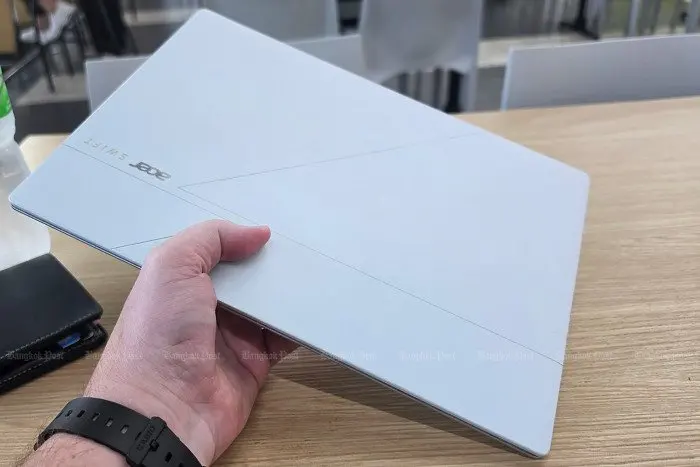
The headline figure is the weight: 0.99kg for a fully equipped Windows 14-inch laptop, light enough that the reviewer carries it alongside a phone, a Nintendo Switch 2, earbuds and a wallet without shoulder complaints. Despite the slim build, there's no scrimping on the screen. The OLED panel runs at 2,880x1,800, hits 500 nits with full DCI-P3 colour coverage and refreshes at up to 120Hz — genuinely useful for photographers and video editors reviewing colour-critical work, and pleasant for evening film sessions.
Power comes from Intel's Core Ultra 5 325, an eight-core chip with an NPU rated at 47 trillion operations per second for on-device AI tasks. In practice, that means writing, spreadsheets, video calls and moderate photo or video editing run smoothly and quietly. Casual gamers get a bonus: Genshin Impact plays fine at medium settings. Just don't expect workstation grunt — 16GB of RAM and a 512GB SSD are adequate rather than generous, and big-game collectors will fill that drive fast.
Battery is the strong suit. Acer's own claims via Thai retailer IT City go up to 14 hours of general use and a claimed 26 hours of video playback; the reviewer, a heavy YouTube-in-the-background type, saw around 11 hours of real use. One gripe: the bundled 100-watt charger is a brick that undercuts the travel-light appeal — worth swapping for a compact GaN USB-C charger.
A small detail earns unexpected praise for Thailand specifically: the built-in HDMI 2.1 port. Offices, hotels and government buildings across the country still lean on physical display cables (VGA apparently lives on), so having HDMI onboard saves the pre-presentation dongle scramble. There's also two Thunderbolt 4 USB-C ports, two USB-A ports, Wi-Fi 7, a roomy touchpad with on-screen media and call controls, an auto-framing full-HD webcam and an infrared camera for face login.
At 41,990 baht this is a premium purchase, but the package softens the sting: Microsoft Office Home 2024 pre-installed, a year of Microsoft 365 Basic, and a three-year warranty in Thailand covering parts, labour and onsite service. For anyone whose office is wherever the Wi-Fi is — cafés in Thonglor, co-working spots in Sukhumvit, a condo desk — the maths makes more sense than for a stay-at-home buyer.
The verdict for travellers: if you work while you wander, this machine gets the essentials right. Weak bass from the downward-firing speakers means pack headphones, and AI features are helpful but hardly transformative. But a sub-kilo laptop with an all-day battery and the right ports for Thai meeting rooms is a genuinely practical remote-work setup.